Complete the management console installation on Windows
Abschluss der Installation der Verwaltungskonsole unter Windows
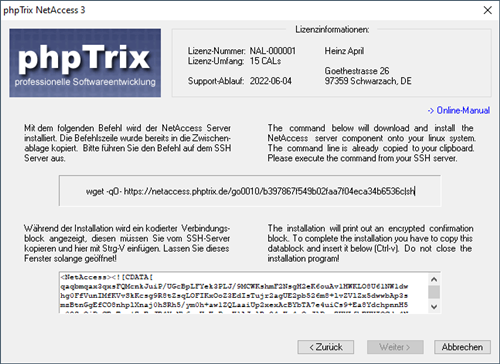
Click into the textarea at the bottom, then press Ctrl-V (or right-click and select "paste") to insert the connection data block copied in the previous step.
Klicken Sie in den unteren Eingabebereich und drücken Sie dann einfach Strg-V oder klicken Sie mit der re. Maustaste in den Eingabebereich und wählen dann "einfügen":
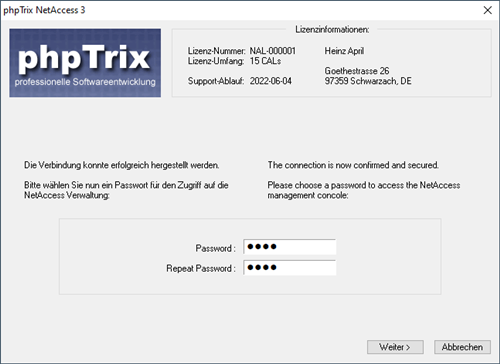
Now you have to choose a password to secure access to the management console:
Hier müssen Sie noch ein Passwort für den Zugriff auf die Verwaltungskonsole wählen:
The installer now creates the management console executable at the windows users local profile (as "%APPDATA%\phpTrix SoftLabs\NetAccess\nacadmin-XXXXXX.exe") and a link "NAC-Admin" on your personal desktop.
Nun wird die eigentliche Programmdatei der Verwaltungskonsole im lokalen Benutzerprofil des Windows-Benutzers erstellt (unter "%APPDATA%\phpTrix SoftLabs\NetAccess\nacadmin-XXXXXX.exe") und eine Desktop- Verknüpfung "NAC-Admin" angelegt.
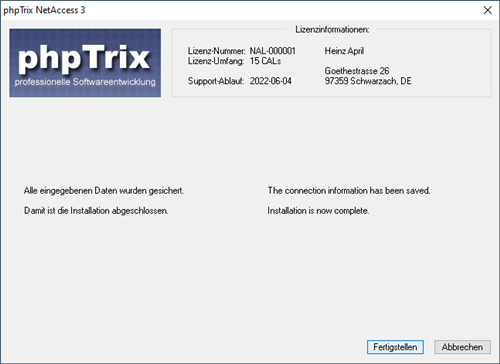
phpTrix NetAccess is now installed and activated
Damit ist die Installation von phpTrix NetAccess abgeschlossen.